No reminders, sync or coaching. You still choose the actions and open the planner.
A blocked proposal becomes one smaller action.
This is a synthetic example, not a customer story. The same plan works in an ordinary note.
Week of October 26
Send client proposal
Draft scope paragraph. Cue: Tuesday after coffee. Minimum: three bullets.
Check-in
Not done. The brief is missing.
Decision
Shrink to “Request missing brief”, Monday 09:00.
Other commitments
File receipts: done, archived. Read marketing course: no longer a priority, dropped.
Week of November 2
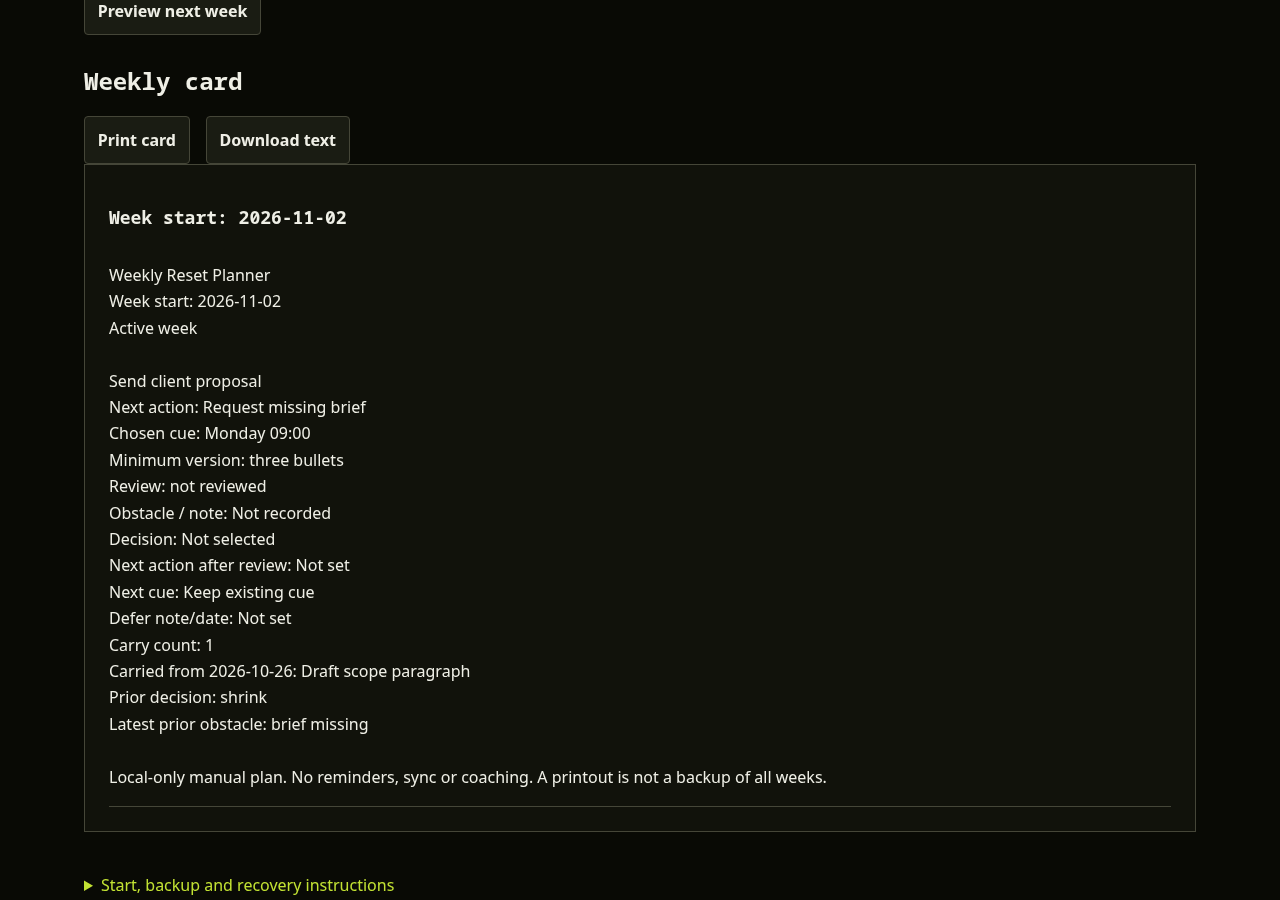
Send client proposal
Request missing brief. Cue: Monday 09:00. Minimum: three bullets.
Carry count
1. Previous action: Draft scope paragraph.
Latest prior obstacle
Brief missing.
Only one active commitment
The receipts and course remain in the locked previous week. They are not copied into the new week.
Actual planner screenshot using the synthetic example.
No more copying the entire unfinished list.
A copied list can hide the decision you meant to make. This planner asks for a decision on every unfinished item, including items you have not reviewed. Nothing is carried by default.
Keep and shrink copy your chosen next action into the new week. Defer records a future date or note in history; it does not schedule a reminder. Drop keeps the old record without adding a task. Confirming a reset locks the previous week.
What the $9 file includes
A browser-local planner for up to three commitments per week and 520 weeks of history.
Explicit check-in statuses, obstacle notes and deliberate carry decisions.
A preview with old and new wording, decision and carry count before confirmation.
Manual browser saving, full-history JSON backups and validated import with replacement preview.
A printable weekly card, plain-text download, standalone offline HTML and instructions inside the app.
After Stripe checkout, you reach the unlisted buyer page. Download the offline app and bookmark the page. Delivery is by redirect, not a promised separate email. Unlisted links are not login protection.
Could you do this free?
Yes. Use a notebook or an ordinary note with Todoist’s weekly-review checklist, then put your chosen cues in an existing calendar. Keep last week’s note and copy only the actions you want. That achieves the same planning outcome.
The paid convenience is the carry-forward step: revised actions are copied with their prior wording and history, and a weekly card is prepared without retyping them. There is no unique method, measured time saving or completion guarantee.
Is this a Notion template?
No. It is a browser app and a standalone HTML download. It does not connect to Notion or any other workspace.
Will it keep me accountable?
It is a self-review tool. It will not contact you or supply a coach. If you need another person present, consider human accountability options such as Focusmate instead.
Where are my plans stored?
In this tab until you manually save in this browser or export a file. No cloud sync or automatic backup. Private browsing, clearing site data or losing this device can erase saved weeks. Backups are your responsibility. The offline HTML is a blank app; your plans travel separately in JSON.
Can I edit old weeks?
Old weeks are deliberately locked after you confirm the next week. You can view, print and export them. Editing the active week never changes its source week.
What if it is not for me?
Request a full refund within 30 days of purchase by emailing hello@moneyyoureowed.com with your receipt. No requirement to prove a planning result. No response-time guarantee; statutory rights remain unaffected.
A small planner for a deliberate weekly reset.
$9 USD, one-time payment. No account required for the planner. No subscription, AI advice, medical advice, notifications or sync.
Sold by Aussie-AI Ltd, company 17193460, the same team behind Money You're Owed. Stripe may show the shared merchant moneyyoureowed. The card statement suffix is WEEKRESET.