WEDDING PLANNING SPREADSHEET
Your whole wedding on one tab you can read.
Six tabs. You type each cost, guest and task once. The first tab adds it all up: money left, who pays what, who is coming and what is overdue.
$9 USD once. Google Sheets and Excel file, a filled-in sample, Notion CSVs and a short guide.
Get it for $9Demand for this kit is unproven: it is new and has no reviews yet. 30-day refund on request.
THE FIRST TAB, FROM THE SAMPLE FILE
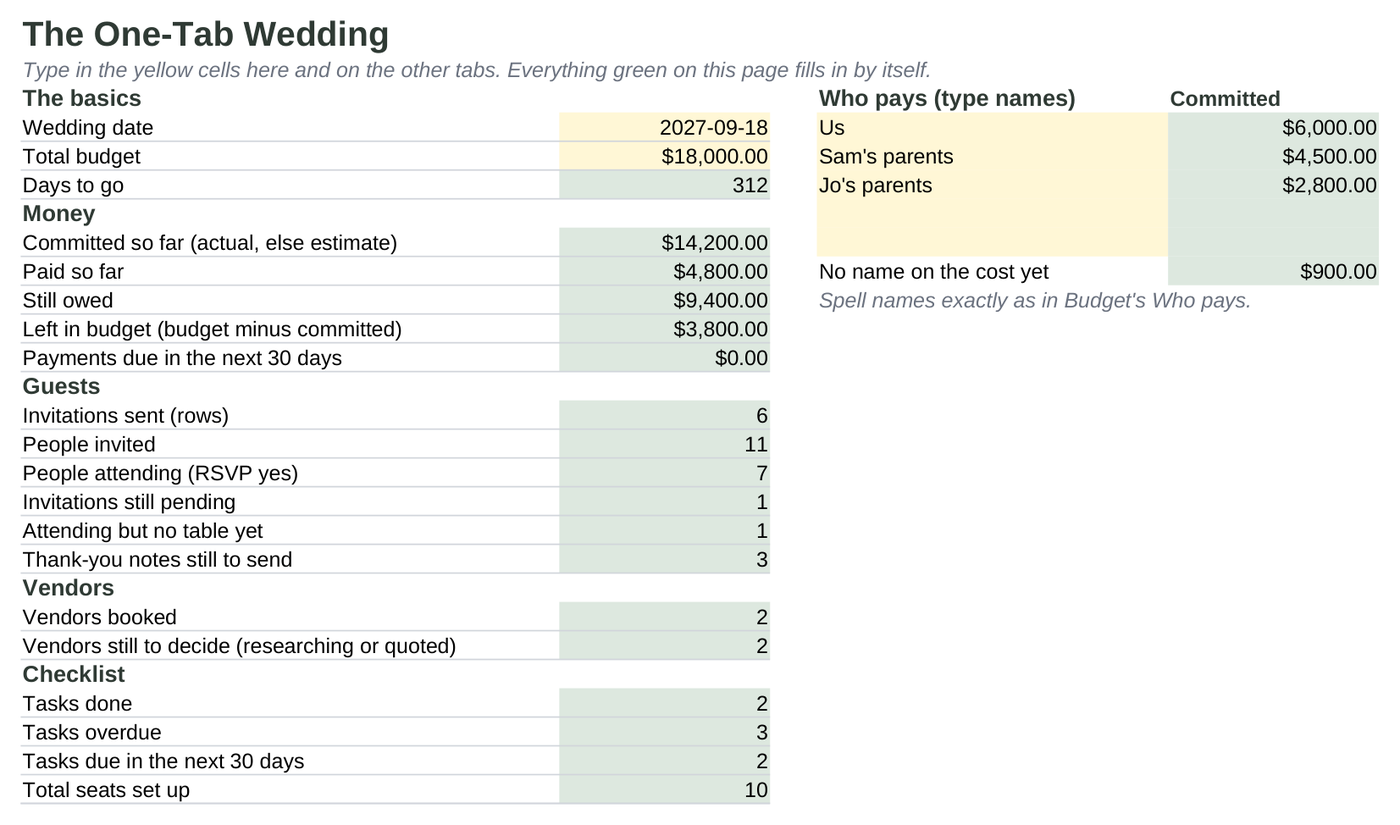
One tab answers the questions you keep checking.
Type it once
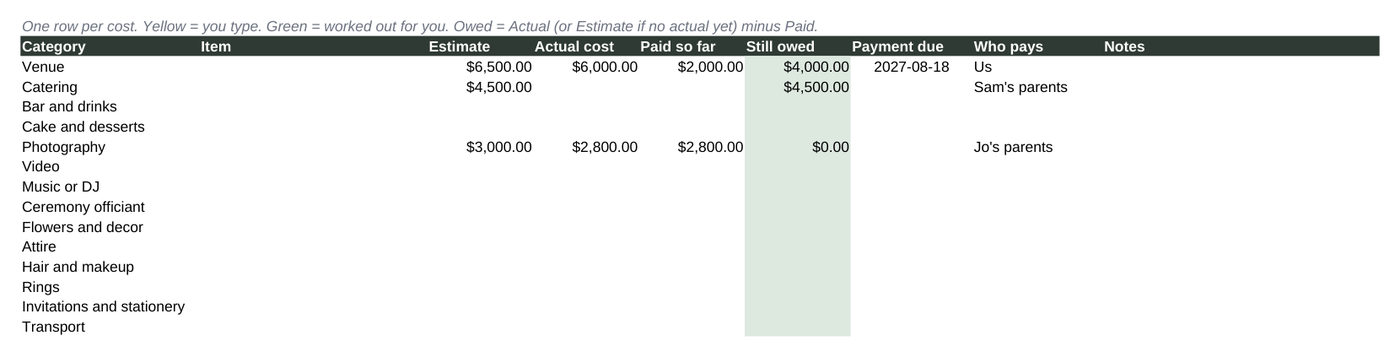
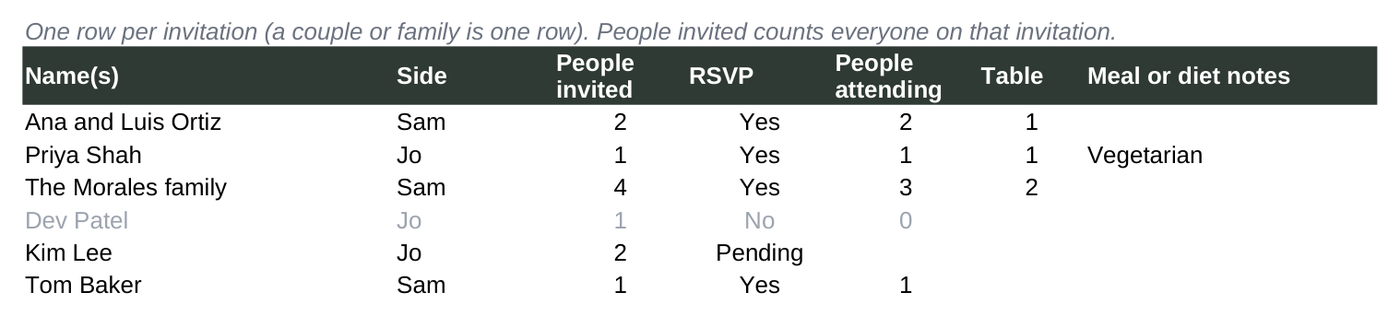
A cost goes on Budget. A guest goes on Guests. The Dashboard, seating totals and checklist dates are formulas that read those tabs, so nothing is entered twice.
Who pays, added up
Put a name in the Who pays column (you, your parents, theirs). The Dashboard shows each person's committed total, and the totals add back to the overall figure.
Dates that move with you
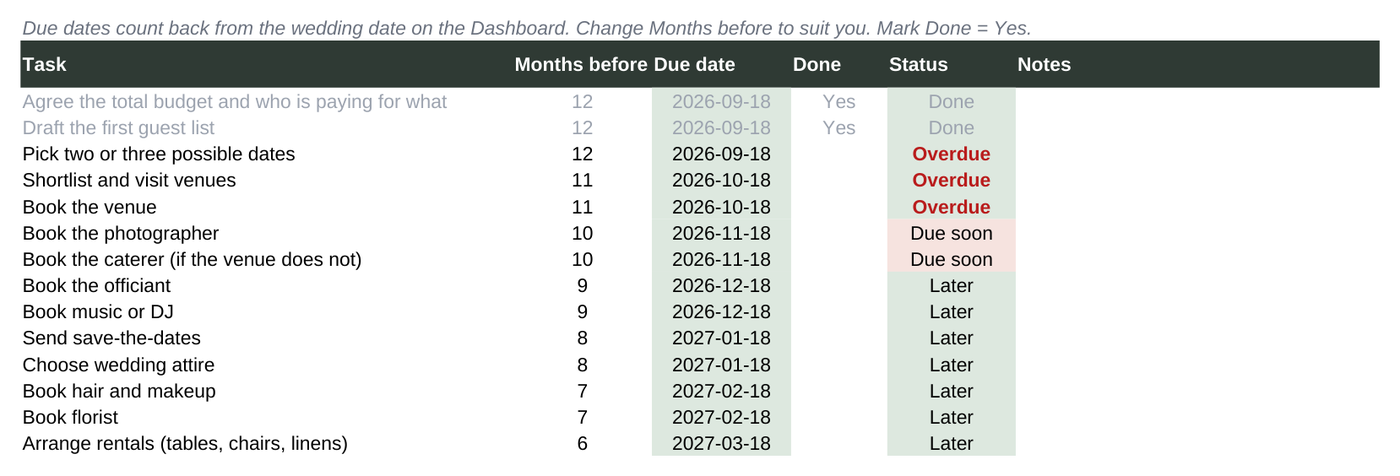
Thirty checklist tasks count back from your wedding date. Change the date and every due date moves. Overdue tasks turn red.
Seating that checks itself
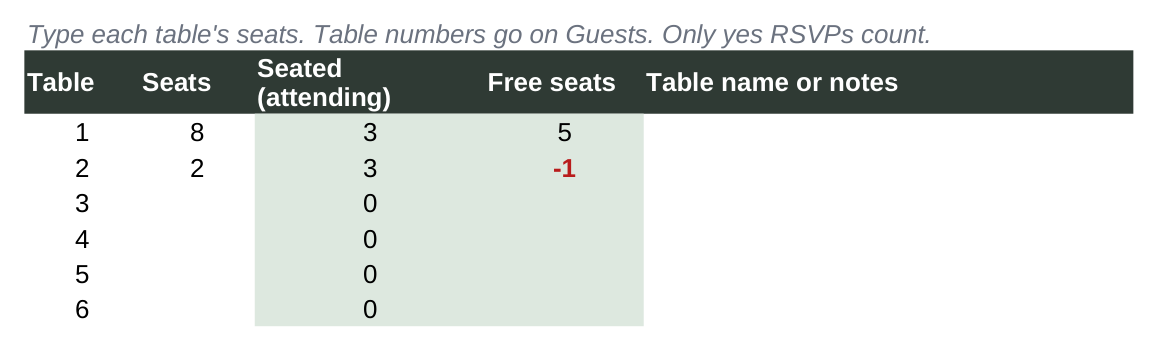
Seats per table come from yes RSVPs only. A table with more people than seats shows a red negative number.
Every tab, before you buy.
Some wedding templates are dozens of near-empty pages. This one is six tabs, and here is the first screen of each.

What you download
- One-Tab-Wedding.xlsx: the blank workbook. Upload it to Google Drive and open it with Google Sheets, or open it in Excel or LibreOffice.
- One-Tab-Wedding-SAMPLE.xlsx: the same file filled in for a fictional couple, so you can see how it works.
- Five Notion CSV files (budget, guests, vendors, checklist, seating). Notion's importer turns each CSV into a database. Spreadsheet formulas do not carry over to Notion.
- Guide (text file): setup in Google Sheets, Excel and Notion, and what each tab does.
Room for 150 costs, 300 invitations, 60 vendors, 40 tables and 80 tasks. Plain functions only, the standard font, no macros and no add-ons.
How we tested it
We filled in the sample and checked every Dashboard number against totals worked out by hand. We recalculated it in LibreOffice and again after converting it to a native Google Sheet. The numbers matched, and the dropdowns survived the conversion. Built and tested on a computer. Phone and tablet spreadsheet apps were not tested. We did not test the Notion import ourselves; the CSV route is the one in Notion's own help pages.
Before you buy
Why pay $9 when free wedding spreadsheets exist?
Free ones may be enough for you, and that is fine. This one adds who-pays totals that reconcile, seating counted from yes RSVPs, checklist dates worked out from your wedding date and a filled-in sample. If you would rather build those yourself, keep the free route.
Is this the same as the Wedding Planning Desk?
No. Wedding Planning Desk is a browser tool you use on our site. The One-Tab Wedding is a spreadsheet you keep in your own Google Drive or computer. Pick the format you prefer.
Can my partner and parents edit it too?
In Google Sheets you can share your copy with them. Sharing and edit history work the way Google Sheets normally does. Excel files on a computer are single-user unless you share them yourself.
Does it send reminders or RSVPs?
No. It has no email, reminders, guest website or RSVP collection. You type RSVPs in as they arrive.
How do I get the files?
After payment, Stripe sends your browser straight to the download page. No account, no second website. If you lose the page, email hello@moneyyoureowed.com with your receipt.
What if it is not for me?
Email hello@moneyyoureowed.com within 30 days of purchase for a full refund. You do not need to give a reason.
Get The One-Tab Wedding
$9 USD, one payment. Blank workbook, sample, Notion CSVs and guide.
Get it for $9Built and tested on a computer. Phone and tablet spreadsheet apps were not tested. Refund, license and privacy terms.